Fluxo 0.4.28: download MySQL and PostgreSQL databases from the dashboard
Fluxo 0.4.28 adds authenticated, on-demand database exports with safe preparation, automatic expiry, and coordination with backups and destructive operations.

Fluxo team
Product and operations
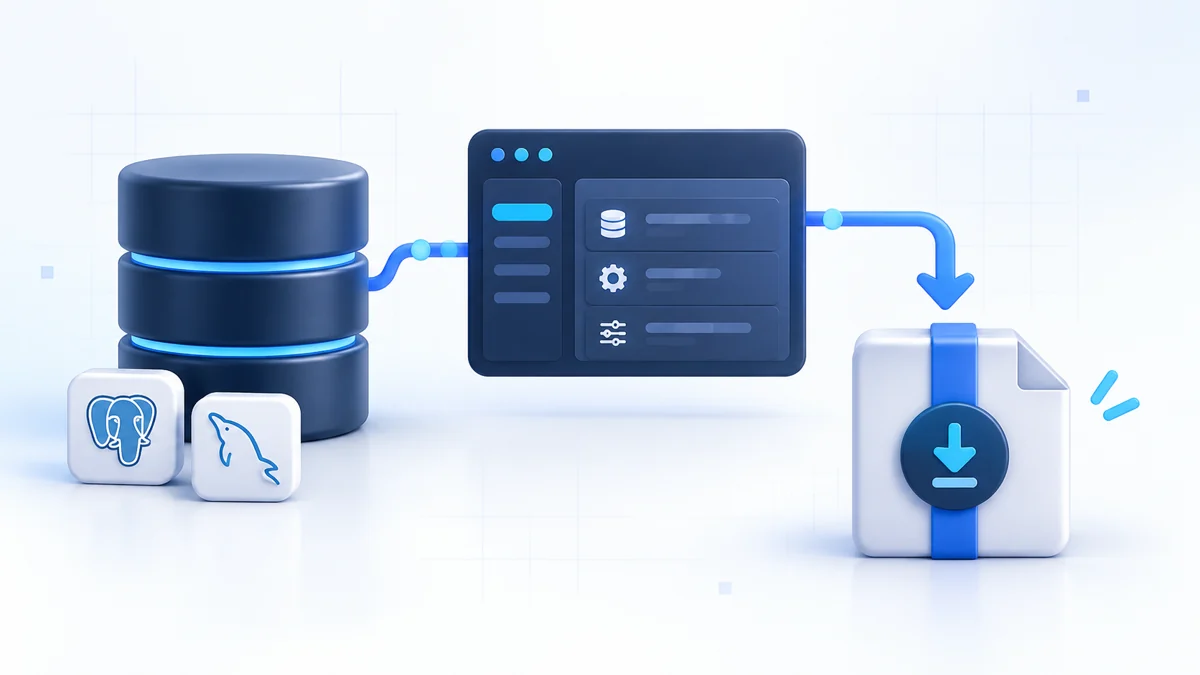
Fluxo 0.4.28 adds a direct way to download a database from the dashboard. An authenticated administrator can now prepare an export of a managed MySQL, MariaDB, or PostgreSQL database from Storage > Databases, then download the completed file through the same signed-in session.
The new workflow is designed for one-off operational tasks: moving data into a local development environment, taking a snapshot before a risky application change, inspecting a database away from the production server, or preparing a manual migration. It does not require an S3 or R2 destination, and it does not change any existing backup plan.
This release also treats exporting as a real server operation rather than a simple link to a live dump process. Fluxo prepares the file in the background, reports its status in the database list, limits temporary resource use, expires completed files automatically, and prevents operations that could conflict with the export.
Fluxo 0.4.28 is available from the GitHub release. This article explains when to use the new download, what each database engine produces, and where the boundary remains between an on-demand export and a durable backup.
What changed in 0.4.28
The release adds one focused capability with several safety measures around it:
| Area | Behavior in 0.4.28 |
|---|---|
| Database page | A Download database action is available from each database row |
| Supported engines | MySQL, MariaDB, and PostgreSQL |
| Preparation | The export runs asynchronously while the page shows Preparing download… |
| Access | Creating, checking, and downloading an export requires an authenticated administrator session |
| Size boundary | Direct-download files are limited to 256 MB |
| Lifetime | A completed export remains available for 10 minutes and is then removed automatically |
| Coordination | Conflicting backups, database deletion, site deletion, and site changes are blocked until preparation finishes |
| Existing backups | Backup plans, schedules, destinations, retention, and large-database behavior are unchanged |
There is no database migration or new configuration step. Direct downloads are opt-in: upgrading makes the action available, but Fluxo does not prepare or retain an export until an administrator requests one.
Download a database from Fluxo
Open Storage > Databases, find the database, open its ⋯ action menu, and select Download database. Fluxo displays a confirmation before starting because the resulting file can contain credentials, customer records, personal information, and other production data.
After confirmation, the row displays Preparing download…. Fluxo creates the export on the server while the browser checks its status. When preparation succeeds, the browser starts downloading the completed file automatically.
You can continue using the dashboard while the export is prepared, but do not start a schema migration or another operation that changes the same site. A reload does not stop the server-side preparation; however, if the browser loses the result, request a new download after the current export finishes.
The download action intentionally lives beside the database rather than on the Backups page. The task begins with one selected database and produces one file for the administrator who requested it. It does not create a backup run, upload an artifact, or modify a schedule.
Export formats for each database engine
Fluxo uses the database engine’s established dump tooling and the same dump options used by its backup service.
MySQL and MariaDB
MySQL and MariaDB downloads use a compressed SQL file:
mysql-DATABASE_NAME.sql.gz
The export includes the selected database together with routines, triggers, and events. Fluxo uses a transaction-based dump with streaming reads so transactional tables can be exported consistently without first loading the whole database into memory. Binary values are represented safely in the generated SQL.
The file includes database-selection statements because the dump is created with the database as a complete logical unit. Review the SQL and the target server before restoring it, especially when a database with the same name already exists.
A typical restore on a controlled MySQL or MariaDB server looks like:
gunzip -c mysql-example.sql.gz | mysql -u root -p
Replace the filename and account for the target environment. The database account must have enough permission to create or update the objects present in the dump.
PostgreSQL
PostgreSQL downloads use its custom archive format:
postgres-DATABASE_NAME.dump
The archive is intended for pg_restore. Ownership and privilege statements are omitted, which makes it easier to restore under the account and access model chosen for the target server.
For example, after creating an empty destination database:
createdb example_restored
pg_restore --no-owner --no-privileges \
  --dbname=example_restored postgres-example.dump
Use a PostgreSQL client version compatible with the source and target servers. Review extensions, roles, and application-specific migration expectations before treating a restored copy as ready for use.
Why the download is prepared before it is served
Streaming a live database dump directly to an HTTP response appears simple, but it creates awkward failure modes. A network interruption can leave the administrator with a partial file. The browser cannot know whether a truncated stream is complete, and an export process may continue consuming server resources after the client disconnects.
Fluxo therefore separates preparation from delivery:
- The dashboard requests an export job.
- Fluxo reserves the selected database for that operation.
- The database tool writes a protected temporary artifact on the server.
- Fluxo verifies that preparation finished before marking the job ready.
- The authenticated browser downloads the completed artifact.
- Fluxo removes the temporary export after its expiry window.
If preparation fails, Fluxo does not offer a partial file. The dashboard reports the failure and the temporary directory is cleaned up. This makes a successful download a completed database artifact rather than whatever bytes happened to arrive before an error.
Bounded temporary storage
Database exports can consume significant disk space and I/O on a small VPS. Version 0.4.28 places explicit boundaries around the convenience workflow:
- The completed direct-download artifact cannot exceed 256 MB.
- Preparation has a 30-minute timeout.
- Fluxo prepares only one direct export at a time on the server.
- Up to four completed or failed export records can be retained while they await expiry.
- A completed file expires after 10 minutes.
- Fluxo preserves at least 512 MB of free disk space while writing the artifact.
- Old temporary export directories left by an interrupted daemon process are cleaned up automatically.
The 256 MB limit applies to the produced download file: compressed SQL for MySQL or MariaDB, and the custom archive for PostgreSQL. The source database can be larger or smaller depending on how effectively its contents compress, so do not use the database-size figure as a guarantee that a direct export will fit.
These limits keep a convenience download from silently filling the same disk that runs the application and database. If an export is too large, Fluxo stops preparation and directs the administrator toward the Backups feature instead.
Coordinating exports with other operations
A database export reads a live database while consuming CPU, disk, and database I/O. Running it concurrently with destructive or configuration-changing work would make the outcome harder to reason about.
While a direct export is being prepared, Fluxo prevents:
- another direct export of the same database;
- a scheduled or manual backup plan containing that database;
- deletion of the database;
- deletion of its site;
- site mutations that could change related infrastructure.
The reverse protection also applies. If a relevant backup is already queued or running, Fluxo asks the administrator to wait before starting the download. These conflicts return as temporary conditions rather than partially starting both operations.
The reservation lasts only while preparation is active. Once the export succeeds or fails, normal backup and site operations can continue. Downloading the already prepared file does not keep the database locked because the database tool has finished by that point.
Direct download or scheduled backup?
The two features solve different problems.
| Need | Direct database download | Fluxo Backups |
|---|---|---|
| One database needed immediately | Best fit | Possible, but requires a configured plan and destination |
| Local development or inspection | Best fit | Usually unnecessary |
| Database larger than the direct limit | Not supported | Best fit |
| Application files and databases together | Not supported | Supported |
| Automatic daily or weekly protection | Not supported | Supported |
| Off-server retention | Not supported | Supported through S3 or R2 |
| Multiple historical recovery points | Not supported | Supported by plan retention |
| Optional artifact encryption | Not added by the download workflow | Supported by encrypted backup plans |
A downloaded export becomes the administrator’s responsibility as soon as it reaches the device. Fluxo does not encrypt the direct-download artifact with a separate backup password. Protect it using the device’s storage encryption and access controls, avoid placing production data in shared download folders, and remove copies when the operational task is complete.
Scheduled off-server backups should remain the recovery foundation for production applications. They continue working even when nobody is signed in, can include application files, retain multiple recovery points, and are stored away from the VPS. A manual download is useful in the moment; it is not a recovery policy.
Read Encrypted backups to S3 and Cloudflare R2 for the durable workflow, or follow the Backups documentation when configuring a destination and plan.
Practical uses for an on-demand export
The direct workflow is most useful when the task has a clear owner and an immediate destination:
- Prepare local debugging data. Download a controlled copy, sanitize sensitive records, and restore it into a local environment that reproduces a production-only issue.
- Take a pre-change snapshot. Capture the database before a manual data correction, framework upgrade, or application migration. Keep the regular backup plan in place as the durable fallback.
- Move between environments. Export from one Fluxo-managed server and restore into a reviewed staging or replacement environment.
- Inspect data with database tooling. Work from a completed artifact without exposing the live database port publicly.
- Hand off a bounded migration artifact. Produce the engine-native file expected by the person managing the target database.
Production data remains production data after it is downloaded. Apply the same access, retention, and privacy rules you would use for an off-server backup.
Upgrade and verification
Upgrade to the latest Fluxo release with:
curl -fsSL https://fluxo.fabiotech.dev/install.sh | sudo bash
To request exactly version 0.4.28:
curl -fsSL https://fluxo.fabiotech.dev/install.sh | \
  FLUXO_VERSION=v0.4.28 sudo -E bash
After upgrading, verify the installed version and service health:
fluxo --version
sudo systemctl status fluxo --no-pager
curl -k https://127.0.0.1:9595/api/v1/health
Then perform a controlled download from Storage > Databases:
- Choose a small non-production database for the first check.
- Select Download database from its action menu.
- Confirm that Preparing download… appears and the browser starts the download when ready.
- Check that the filename matches the database engine and name.
- Restore the artifact into an isolated test database and verify the expected schema and representative data.
- Delete the local copy when the check is complete if it contains sensitive information.
Existing backup destinations and plans require no changes after the upgrade. Their schedules and retention continue as configured.
A smaller gap between operating and moving data
Fluxo already manages databases, accounts, grants, sizes, phpMyAdmin access, and off-server backups. Version 0.4.28 fills the smaller but frequent gap between seeing a database in the dashboard and safely obtaining a portable copy of it.
The result is deliberately bounded: authenticated, prepared before delivery, temporary, and coordinated with the other operations that could affect the same database. For quick migrations and controlled operational work, the export is close at hand. For disaster recovery and long-term retention, Fluxo continues to keep scheduled S3 or R2 backups as the appropriate path.
Read the database download documentation for the complete operational notes. Source code and release artifacts are available in Fluxo 0.4.28 on GitHub.