Zero-downtime deployments: a practical guide
How Fluxo builds an isolated release, protects the live application, switches traffic atomically, and gives you a dependable rollback path.

Fluxo team
Product and operations
A deployment should not put visitors in the middle of a build. They should never receive an application whose source code is new while its dependencies, compiled assets, or cached configuration still belong to the previous version.
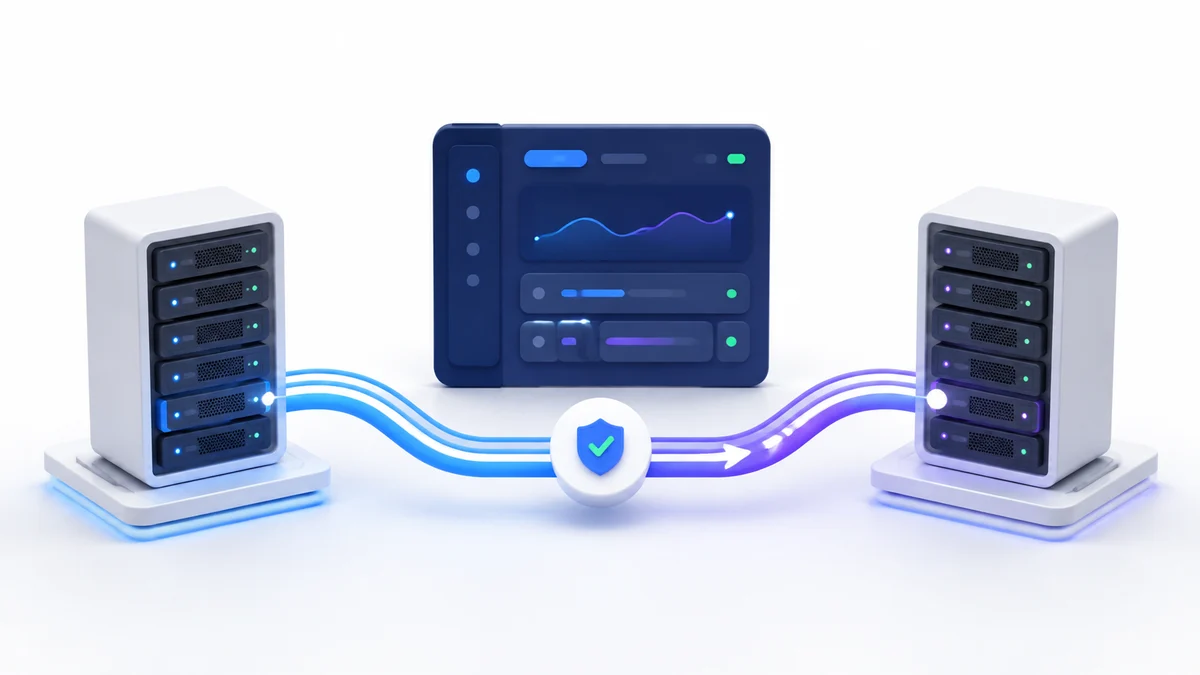
That is the problem Fluxo’s zero-downtime deployment strategy is designed to solve. Instead of modifying the live directory, Fluxo prepares a complete release elsewhere and changes one filesystem pointer only after the application commands have succeeded.
This guide explains the lifecycle, what Fluxo handles automatically, and the application decisions that still belong to you.
The problem with an in-place deployment
A standard deployment updates the checkout that Nginx is already serving. A typical script might pull a commit, install Composer or npm dependencies, build frontend assets, run migrations, and clear caches in that same directory.
That approach is simple, but it has an awkward failure window. If composer install fails, the source tree may already be on the new commit. If an asset build runs out of memory, PHP and the browser can temporarily disagree about which assets exist. Concurrent requests can also arrive while files are being replaced.
Zero-downtime mode creates a release boundary. The existing application remains intact while the next version is prepared.
The release directory model
A Laravel site using zero-downtime deployment has a layout similar to this:
/home/fluxo/example.com/
  .env
  current -> releases/20260827142000-42
  releases/
    20260826110500-41/
    20260827142000-42/
  storage/
Nginx serves the application through current. Background services created by Fluxo also use that active path. The root .env and Laravel storage directory live outside individual releases because they must survive from one release to the next.
Each new release receives its own source checkout and dependency tree. A failed build can therefore be removed without altering the directory that is handling production traffic.
What happens during a Fluxo deployment
The managed lifecycle runs in a deliberate sequence:
- Fluxo creates a uniquely named directory under
releases. - It clones the configured repository and branch, or the specific commit selected for a rollback.
- It links the persistent
.envinto the new release when the file exists. - For Laravel, it prepares and links the shared
storagetree. - It runs the application-specific deployment commands inside the new release.
- It creates a temporary symlink and atomically moves it into place as
current. - It runs the runtime hooks required by managed processes.
- It retains the five newest successful releases and cleans up older ones.
The important boundary is step six. Before that point, production still resolves to the previous release. A failed dependency installation, compilation, test, or framework command leaves current unchanged.
Keep the deployment script application-focused
New sites use a managed script model. Fluxo owns Git synchronization, release activation, service restarts, and release cleanup. Your script should contain only the commands that prepare the application in its current working directory.
A conventional Laravel script can look like this:
if [ -f composer.json ]; then
  $FLUXO_COMPOSER install \
    --no-dev \
    --no-interaction \
    --prefer-dist \
    --optimize-autoloader
fi

if [ -f package.json ]; then
  (npm ci || npm install)
  npm run --if-present build
fi

if [ -f artisan ]; then
  $FLUXO_PHP artisan optimize:clear
  $FLUXO_PHP artisan storage:link
  $FLUXO_PHP artisan migrate --force
fi
Fluxo provides version-aware variables such as FLUXO_PHP, FLUXO_COMPOSER, FLUXO_DEPLOY_PATH, and FLUXO_ACTIVE_SITE_PATH. Prefer them over bare php or composer commands so a site configured for PHP 8.3 does not accidentally execute the server’s default PHP 8.4 binary.
Do not clone the repository, change current, restart Fluxo-managed services, or delete release directories in this script. Duplicating platform lifecycle operations makes failure handling unpredictable.
Decide what must persist
Release directories are disposable. Anything written only inside a release can disappear when a later deployment becomes active or when old releases are cleaned up.
For Laravel, Fluxo shares the root environment file and full storage tree automatically. That covers logs, framework cache paths, sessions stored on disk, and files saved through Laravel’s local or public disks.
Applications that write to another directory need an explicit persistence strategy. Common options are:
- Move user uploads to Laravel-managed storage.
- Store uploads in S3 or another object-storage service.
- Create a persistent directory under the site root and link it during deployment.
- Move sessions, caches, and queues to a database or Redis when multiple processes need consistent state.
Do not place irreplaceable uploads, generated reports, or SQLite application databases inside a release without deliberately sharing or backing them up.
Treat database changes as a compatibility problem
Atomic file activation does not make a destructive schema migration reversible. The old release and the new release briefly share one database, and a rollback does not automatically reverse migrations.
For production changes, prefer an expand-and-contract sequence:
- Add new columns or tables without removing what the current release needs.
- Deploy code that can work with both the old and new schema.
- Backfill or migrate data separately when the operation is large.
- Stop reading the old structure in a later release.
- Remove obsolete columns only after rollback to the earlier code is no longer required.
Avoid renaming or dropping a heavily used column in the same deployment that updates every caller. Also consider locks and execution time: a migration can technically succeed while still causing a noticeable outage at the database layer.
Before a high-risk migration, take a verified database backup and understand the application’s own rollback procedure.
Understand the runtime handoff
PHP-FPM resolves new requests through the active symlink, so conventional PHP and Laravel applications get the cleanest handoff. Long-lived processes need extra attention because they can retain old code in memory.
Fluxo runs the appropriate hooks for managed services:
- Managed Laravel Queue Workers receive
queue:restart, allowing active jobs to finish before workers load the new release. - Horizon is terminated after a successful managed deployment so its process monitor starts workers on current code.
- Managed Node.js and Python processes restart and must accept connections on their configured internal ports.
The release switch remains atomic for Node.js and Python, but a single process restart can briefly interrupt long-lived connections. Connection-level zero downtime requires multiple application instances and a health-aware handoff, which is beyond the current single-process model.
Laravel Octane is intentionally unavailable with zero-downtime mode. Its long-lived workers retain application code in memory and do not fit the current release-symlink lifecycle. Use standard deployment when Octane is required.
Prepare before the first production deployment
Review these items before enabling real traffic:
- The repository and production branch are correct.
- The deploy key can read the repository.
- Production secrets are present in the shared
.envand are not committed to Git. - The deployment script uses the selected runtime and contains no interactive commands.
- User-generated files use persistent or remote storage.
- Migrations are backward-compatible with the currently active release.
- Queue workers, scheduled tasks, and other daemons have an intentional restart policy.
- The server has enough free disk space for the active release, a new release, dependency caches, and retained history.
- A recent off-server backup is available for schema or data changes.
Remember that a Node build or Composer install can temporarily require much more memory and disk than the running application.
Verify the release after activation
A green deployment status means the managed lifecycle completed. It does not prove that every business workflow is healthy.
Perform a short post-deployment check:
- Open a public page and a route that reads from the database.
- Confirm static assets load without 404 responses.
- Submit one safe application action, such as signing in to a staging account.
- Check Nginx and application logs for new errors.
- Confirm managed queue workers, Horizon, or other daemons are running.
- Verify scheduled work still uses the intended active path.
- Watch an external availability check for a few minutes.
For important applications, automate these checks in the deployment script before activation where possible, and retain independent monitoring afterward.
What happens when a deployment fails
When an application command fails before activation, Fluxo marks the deployment as failed, removes the incomplete release, and leaves the previous current target untouched. The failure alert remains visible across the site until you dismiss it or a newer deployment succeeds.
Read the output from the first meaningful error upward. Failures usually fall into one of these groups:
- Repository access or missing branch
- Composer, npm, or package-registry failure
- Missing build-time environment value
- TypeScript or frontend compilation error
- Memory or disk exhaustion
- Database connection or migration failure
- Managed process failing to start on its internal port
- A command exceeding the deployment deadline
If a critical managed runtime hook fails after activation, Fluxo attempts to restore the previous release and records the result in the deployment output.
Roll back without rewriting history
Open a previous successful deployment with a recorded commit and choose Rollback. Fluxo creates a new deployment targeted at that commit. In zero-downtime mode, it rebuilds the commit as a fresh release and activates it only after its commands succeed.
That design keeps history append-only and avoids assuming an old dependency tree is still usable. It also means rollback has the same requirements as any deployment: the repository, package registries, build tools, and application commands must still work.
A code rollback is not a database rollback. If the newer version applied an incompatible migration, restore or reverse the database change using a tested application-specific plan.
When standard deployment is the better choice
Zero-downtime mode is the default for Git-backed application types, but it is not mandatory. Standard deployment may be more appropriate when:
- The application must modify a fixed in-place checkout.
- A third-party tool assumes one permanent directory and cannot follow
current. - The site uses Laravel Octane.
- The application has no Git repository.
- The workload is small enough that a deliberate maintenance window is simpler.
Choose the strategy when creating the site because Fluxo treats it as part of the site’s operating model.
The practical standard
The real benefit of zero-downtime deployment is not that every application change becomes risk-free. It is that incomplete code never replaces a known working release.
Combine the release boundary with backward-compatible migrations, persistent storage, process-aware restarts, off-server backups, and a short verification routine. Together, those practices turn deployment from an uncontrolled file update into a repeatable production operation.